
Top LinkedIn Employee Advocacy Tool Options You Need

 Oct 15,2026
  By admin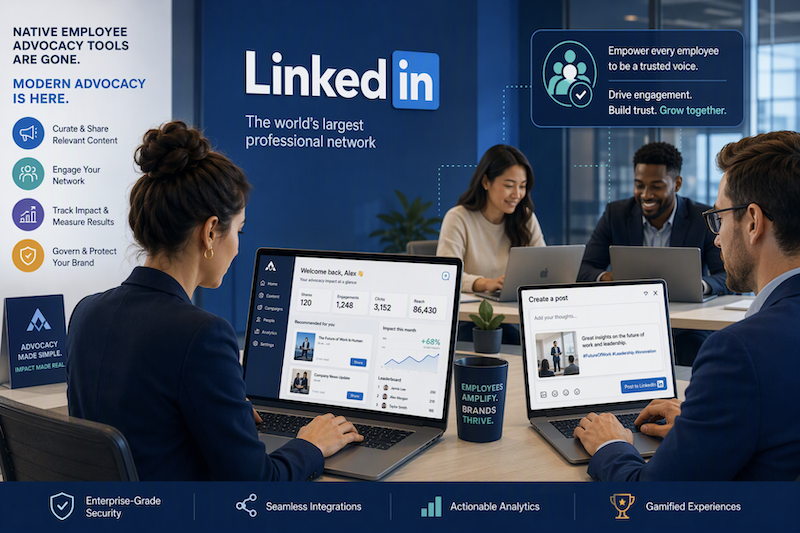
Key Highlights
- LinkedIn removed native advocacy tools, so many teams now need a dedicated advocacy platform.
- Strong employee advocacy programs help a company grow reach on social media through employee networks.
- Employee-shared company content can earn more engagement than posts from a company page.
- Good tools make sharing easy, support employee engagement, and improve content distribution.
- Analytics, integrations, and clear brand rules are key best practices when choosing software.
- onetrackk.com, Oktopost, EveryoneSocial, and others are worth reviewing for LinkedIn advocacy needs.
Introduction
Employee advocacy programs matter more than ever. As social media gets crowded, your employees can help your message reach more people in a trusted way. That can lift brand awareness, support thought leadership, and help a company get more value from each piece of content. LinkedIn’s recent changes also pushed many teams to look beyond native features. If you want a better way to organize sharing, track results, and support your team, this guide will help you compare practical options.
Top LinkedIn Employee Advocacy Tool Options to Consider
Right now, the best LinkedIn employee advocacy tools available depend on your goals. Some employee advocacy platforms focus on easy sharing. Others focus on analytics, gamification, or cross-network content distribution. If your team relied on a company page and LinkedIn’s older features, this shift matters.
You can find expert reviews of advocacy tools in detailed product guides, comparison pages, and vendor resources. Below, you will see a practical list of options, including onetrackk, for teams that want to support employee advocates and improve social media performance.
1. onetrackk – Streamlined LinkedIn Employee Advocacy & Analytics
A LinkedIn employee advocacy tool helps your team share approved company content through personal profiles in a simple, structured way. That is the core idea behind solutions like onetrackk. Instead of asking people to search for posts on their own, the platform gives them an easy way to find, personalize, and share content.
For teams that care about social selling and clear reporting, onetrackk stands out as an employee advocacy solution worth considering. It can support organized sharing and help teams understand what content performs best. That matters when you want more than random posting.
Another reason to look at onetrackk.com is the value of employee advocacy analytics. Good tracking can show reach, engagement, and media value from employee posts. If you want an employee linkedin tool that is simple to review and practical for daily use, onetrackk belongs on your shortlist.
2. EveryoneSocial – Social Sharing for Employee Engagement
EveryoneSocial is one of the better-known names in this space. It has been part of the employee advocacy market for years and is often discussed when teams want to improve employee engagement around brand content and company content. For many organizations, that long market presence makes it a familiar starting point.
The platform fits companies that want to share advocacy content across social media platforms in a more organized way. Instead of leaving each employee to guess what to post, tools like this create a central place for approved messaging and content distribution.
If you are searching for top EveryoneSocial alternatives for LinkedIn employee advocacy, names like onetrackk, Oktopost, GaggleAMP, and Shimmer often come up in comparison-focused research. The right choice depends on how much you value analytics, workflow simplicity, and the employee experience.
3. Hootsuite Amplify – Integrated Advocacy within Hootsuite
Hootsuite Amplify is a logical option for teams already using Hootsuite. Its appeal comes from keeping advocacy programs close to an existing social media strategy. That can reduce friction for marketing teams that do not want another separate system.
When you compare features of top LinkedIn employee advocacy software, start with practical questions. Does the tool simplify content distribution? Does it help employees share quickly? Can it support brand awareness without making posting feel like extra work? These questions matter more than flashy demos.
For some companies, an integrated choice like Hootsuite makes sense because it sits near current workflows. Still, teams should check whether the employee-facing experience is easy enough to support steady participation. If sharing feels slow or confusing, adoption usually drops.
4. Sociabble – Gamified Employee Advocacy Platform
Sociabble is often linked with gamification. That makes it appealing for companies that want an advocacy platform that keeps participation active over time. Friendly competition can help employee engagement, especially after the early launch phase fades.
Businesses can encourage employee engagement using LinkedIn advocacy tools by making sharing easy, rewarding, and relevant. Gamification helps, but content curation matters too. Employees are more likely to post when the material supports thought leadership and feels useful to their audience.
A tool like Sociabble may work well if your goal is to keep energy high through leaderboards, recognition, and a steady flow of ready-to-share posts. That approach can support stronger habits, especially when employees need a clear reason to come back and participate.
5. Oktopost – B2B-Focused LinkedIn Advocacy Software
Oktopost is one of the strongest B2B-focused options mentioned in the available information. It became even more relevant after LinkedIn ended its My Company tab and native Employee Advocacy Analytics. For B2B teams, that change created a clear need for a purpose-built external platform.
One major benefit of using employee advocacy software on LinkedIn is reach. Employee-shared content can get far more engagement than brand-only posts and can reach much larger audiences. Oktopost also supports content distribution beyond one network, which helps extend brand awareness.
Another strength is measurement. Oktopost offers ongoing analytics, long-term data access, and centralized management. It also includes AI tools that help advocates create and refine posts quickly. If your focus is business outcomes, organic reach, and continuity after LinkedIn’s changes, Oktopost deserves serious attention.
6. Ambassify – Data-Driven Employee Advocacy Solution
Ambassify is often considered by teams that want a data-driven approach. In employee advocacy platforms, that usually means putting more weight on reporting, performance trends, and clearer links between activity and outcomes. If measurement matters to you, this kind of positioning is useful.
Employee advocacy features that help measure business impact include participation tracking, reach, impressions, engagement, and top-performer reporting. As programs mature, teams also look at earned media value and deeper business signals. Those metrics help show whether advocacy efforts are producing the best results.
For that reason, Ambassify can appeal to companies that do not want to guess. A platform with strong employee advocacy analytics helps you see what content works, which employee advocates are active, and where you should improve your program over time.
7. Sprout Social Employee Advocacy – Easy Content Distribution
Sprout Social Employee Advocacy is a fit for teams that want easier content distribution without making employees work too hard. Simple access to approved posts can help people stay active, especially when time is limited and social sharing is only one small part of the workday.
Practical tips help employees successfully share branded content on LinkedIn. Keep content creation simple. Offer pre-approved options. Let employees adjust language in their own voice. Make sure posts feel worth sharing, not forced. These steps help protect organic reach and improve trust.
Sprout Social is often considered when businesses want a known social media brand with advocacy support built around publishing habits. If your main goal is making distribution faster and cleaner, this type of tool can help your team move from ideas to employee posts with less friction.
8. PostBeyond – Scalable Employee Content Sharing
PostBeyond is usually discussed as a scalable option for content sharing. That matters if you have many team members and need a repeatable process for getting company content in front of the right people. Scale is not just about size. It is also about consistency.
Businesses can encourage employees to share branded content effectively on LinkedIn by removing friction. Employees need easy access to posts, clear approval rules, and simple sharing steps. If the process feels slow, people stop. If it feels natural, participation usually grows.
That is where a platform like PostBeyond can help. A scalable setup gives marketing more control while still making it easy for employees to join in. For larger programs, structure often matters just as much as creativity.
9. Smarp – Simple LinkedIn Content Sharing for Teams
Smarp is often seen as a simple option for team-based content sharing. If your company values team collaboration and wants a lighter way to manage employee networks, this style of platform can be appealing. The focus is less on complexity and more on usable daily workflows.
Yes, LinkedIn discontinued its employee advocacy feature, including the My Company tab and native analytics. That means companies now need alternatives. Best practices point toward using dedicated platforms that handle distribution, measurement, and employee participation in a more reliable way.
Alternatives include onetrackk, Oktopost, EveryoneSocial, GaggleAMP, and other employee advocacy tools built for ongoing use. For teams that want a straightforward experience, Smarp may be part of that conversation, especially if simplicity is more important than advanced customization.
10. Dynamic Signal (Firstup) – Advanced Advocacy with Analytics
Dynamic Signal, now tied to Firstup, is usually positioned as a more advanced option. That makes it relevant for organizations that want stronger internal coordination plus employee advocacy analytics. For larger teams, that added depth can help manage advocacy content with more control.
If you ask which are the best LinkedIn employee advocacy tools available right now, the answer depends on priorities. Some teams need advanced analytics. Some want easy sharing. Others want strong integrations or gamification. Dynamic Signal fits the group that values detailed oversight and reporting.
Because business outcomes matter, analytics should never be an afterthought. A platform in this category can help show how employee posts contribute to reach, engagement, and broader program health. For data-focused organizations, that can be a strong deciding factor.
11. GaggleAMP – Customizable Employee Engagement Tools
GaggleAMP is often mentioned by teams that want a customizable setup. That can be helpful when your advocacy efforts stretch across different roles, goals, and social networks. Not every employee needs the same content, so flexibility matters.
To compare features of top LinkedIn employee advocacy software, look at what employees actually do each day. Can they find relevant posts quickly? Is sharing easy? Can marketing control messaging? Are analytics strong enough to prove value? These are more useful than long feature lists.
GaggleAMP enters the conversation because it supports employee engagement in a more tailored way. If your program needs room to adapt by team or campaign, a customizable platform may fit better than a one-size-fits-all model for employee posts.
12. ClearView Social – Effortless LinkedIn Sharing for Professionals
ClearView Social is often framed around effortless sharing for professionals. That makes sense for firms where employees are busy and need a direct path from approved LinkedIn content to posted updates. Ease of use can be the difference between a live program and an ignored one.
Practical tips for better sharing stay simple. Give brand advocates content that is useful, timely, and easy to personalize. Keep content distribution organized. Avoid making every employee posts look identical. When people can add their own voice, trust usually improves.
For professional services teams, a tool like ClearView Social may feel more natural than a complex system with too many steps. If your goal is to help employees share company content without heavy training, this kind of setup is worth a look.
Key Features to Look for in LinkedIn Employee Advocacy Tools
Choosing the right platform starts with the basics. The best employee advocacy features make sharing simple, protect brand consistency, and help employees stay active. If a tool feels hard to use, your advocacy programs will struggle no matter how strong the idea is.
The biggest benefits of using employee advocacy software on LinkedIn include wider reach, stronger employee engagement, and better visibility into results. When you compare options, focus on best practices around company content, reporting, integrations, incentives, and governance. These features shape daily success, so let’s break them down.
User-Friendly Content Sharing Experience
A user-friendly sharing experience is the first thing to check. In most employee advocacy programs, people have limited time. If they need too many clicks to find a piece of content, they will stop using the tool. Easy sharing is not a bonus. It is the foundation.
Good platforms also help marketing guide content creation while giving employees flexibility. The best setups surface relevant posts fast and make sharing across social media platforms feel natural. That helps people participate without feeling like they are doing extra admin work.
Look for features like these:
- A simple content library with filters and search
- One-click sharing for approved posts
- Options to personalize copy in an own voice
- Smart recommendations for relevant posts
These same features also support business impact because they improve participation rates, which is the starting point for better reach and engagement.
Real-Time Analytics and Reporting
Analytics help you move beyond guesswork. If you want to compare top LinkedIn employee advocacy software, look at what each tool measures and how clearly it reports results. Strong employee advocacy analytics should show both activity and outcomes in a simple way.
At a minimum, you should be able to track participation, reach, engagement, and top-performing content. As your program grows, media value and broader business outcomes become more important. Real-time reporting helps you adjust faster instead of waiting until a campaign is over.
| Metric | Why it matters |
|---|---|
| Participation rate | Shows how many employees are actively sharing |
| Reach and impressions | Tells you how far employee posts are spreading |
| Engagement | Measures likes, comments, clicks, and shares |
| Top performers | Identifies advocates driving the best results |
| Media value | Estimates the value of organic visibility |
| Trend reporting | Helps spot what improves or weakens results |
Integrations with LinkedIn and Existing Platforms
Integrations matter because employees already work inside other tools. If your advocacy platform sits alone, people forget about it. The best setups connect content sharing to daily workflow so employees can act quickly when new LinkedIn posts are ready.
This is why integrations with Slack or Microsoft Teams are so useful. They bring approved content to the right people without forcing them to log in somewhere else first. For teams trying to support a company page and wider social media activity, that saves time and boosts adoption.
Useful integrations often include:
- LinkedIn sharing connections for fast posting
- Slack notifications for recommended content
- Microsoft Teams support for workflow access
- Links to existing marketing or content systems
When you review options like onetrackk or others, check whether integrations reduce friction for employees, not just admins.
Gamification and Incentives for Employees
Keeping momentum alive is hard. Many programs start well, then slow down. Gamification helps by giving employees clear reasons to return, share, and stay active. Used well, it can improve employee engagement without making the program feel childish or forced.
The best approach connects recognition with a healthy brand culture. People like to feel seen. Leaderboards, points, and public praise can support that. Over time, these habits can also strengthen brand trust because employees share more often and become more visible voices for the company.
Helpful incentive ideas include:
- Leaderboards that highlight top advocates
- Points systems tied to sharing or engagement
- Recognition in team updates or meetings
These best practices work best when content is useful and participation stays easy. Rewards alone are not enough.
Compliance, Security, and Brand Guidelines
Compliance and brand control are easy to overlook until something goes wrong. If employees share from official brand channels or personal profiles without clear rules, messaging can drift. That is why brand guidelines should be built into your social media strategy from day one.
Official guides and internal resources are useful for setting up LinkedIn employee advocacy, especially for regulated teams. Good platforms support that structure by limiting what can be shared and by showing who posted what. This makes programs safer and easier to manage.
Look for controls such as:
- Pre-approved content libraries
- Role-based permissions by team
- Audit trails for shared activity
- Approval workflows before publishing
These features support company culture too. They give employees confidence because they know what is safe, useful, and on-brand to share.
How to Choose the Right LinkedIn Employee Advocacy Software
The right advocacy solution should match how your team actually works. Some companies need strong analytics. Others need simple sharing, easy onboarding, or better ways to deliver company content to employees. Start with your main goal, then compare tools against that goal.
Best practices also mean thinking beyond launch day. Your platform should help brand advocates stay active over time, not just during setup. As you compare software, focus on business fit, pricing, scale, and support. These areas will shape whether your advocacy programs succeed.
Matching Platform Features to Business Needs
Start by identifying your top need. Is it sales enablement, thought leadership, talent acquisition, or simple reach? The best advocacy platform for one company may be wrong for another. A clear goal makes comparison easier and keeps you focused on business impact.
For many employee advocacy programs, content curation is a big factor. Employees share more often when they receive useful posts, not just company announcements. Industry insights, helpful articles, and timely updates usually perform better than constant self-promotion.
Ask simple questions like these:
- Does the tool make content curation easy for marketing?
- Can employees quickly find posts relevant to their role?
- Will the platform help prove business impact over time?
If the answer is no, the tool may look good in a demo but fail in real use.
Comparing Pricing Models and Scalability
Pricing should never be reviewed alone. A low monthly fee can still become expensive if the platform needs a lot of manual work, training, or extra admin time. To get the best results, think about total effort as well as contract cost.
Scalability matters too. A tool may work for a small pilot but struggle when more people join. If your employee advocacy programs are expected to grow, the platform should handle more users, more company content, and deeper reporting without a full reset.
| Area | What to compare |
|---|---|
| Base pricing | Per-seat fees, minimum users, contract terms |
| Setup costs | Implementation, migration, training fees |
| Admin time | Hours needed each week to run the program |
| Scalability | Ability to support more employees and content |
| Analytics depth | Whether reporting grows with program maturity |
| Long-term value | How well the tool supports consistent adoption |
Evaluating Support, Training, and Onboarding
Support and onboarding have a huge effect on adoption. Even a good platform can fail if employees do not understand why it matters or how to use it. The goal is not deep technical training. The goal is helping people share quickly and with confidence.
For the marketing team, onboarding should make content control simple. For employee advocates, it should remove fear. Pre-approved posts, clear examples, and short walkthroughs are practical tips that help employees successfully share branded content on LinkedIn without overthinking each post.
Training also works better when it connects to personal value. Employees are more likely to participate when they see how sharing can build visibility, support thought leadership, and strengthen brand awareness. A platform with responsive support makes that learning process much smoother over time.
Conclusion
In summary, selecting the right LinkedIn employee advocacy tool can significantly enhance your organization’s online presence and employee engagement. Each option, from onetrackk’s streamlined features to gamified platforms like Sociabble, offers unique advantages tailored to different business needs. Prioritizing user-friendly sharing experiences, real-time analytics, and compliance with brand guidelines is essential for maximizing the impact of your advocacy efforts. By investing in the right tool, you’ll empower your employees to become brand ambassadors while effectively leveraging their networks. For a closer look at how onetrackk can elevate your LinkedIn strategy, consider reaching out for a free trial today!
Frequently Asked Questions
What is a LinkedIn employee advocacy tool and how does it work?
A LinkedIn advocacy platform helps employees share approved company content on LinkedIn in a simple, organized way. Instead of posting manually, employees use employee advocacy tools to find ready-to-share updates, personalize them, and publish across social media while the company tracks engagement and participation.
Has LinkedIn discontinued its employee advocacy feature and what are the alternatives?
Yes. LinkedIn discontinued native advocacy features like the My Company tab and related analytics. That is why many teams now use an employee advocacy platform instead. Alternatives include onetrackk, Oktopost, EveryoneSocial, GaggleAMP, and others that support stronger advocacy programs and better long-term best practices.
How can businesses encourage employees to share branded content effectively on LinkedIn?
Businesses should make it easy to share company content by offering pre-approved posts, simple workflows, and clear guidelines. Strong advocacy programs also use recognition, useful content, and easy personalization to improve employee engagement. When sharing feels natural, employees are more likely to post across social networks.
Key Highlights
- LinkedIn removed native advocacy tools, so many teams now need a dedicated advocacy platform.
- Strong employee advocacy programs help a company grow reach on social media through employee networks.
- Employee-shared company content can earn more engagement than posts from a company page.
- Good tools make sharing easy, support employee engagement, and improve content distribution.
- Analytics, integrations, and clear brand rules are key best practices when choosing software.
- onetrackk.com, Oktopost, EveryoneSocial, and others are worth reviewing for LinkedIn advocacy needs.
Introduction
Employee advocacy programs matter more than ever. As social media gets crowded, your employees can help your message reach more people in a trusted way. That can lift brand awareness, support thought leadership, and help a company get more value from each piece of content. LinkedIn’s recent changes also pushed many teams to look beyond native features. If you want a better way to organize sharing, track results, and support your team, this guide will help you compare practical options.
Top LinkedIn Employee Advocacy Tool Options to Consider
Right now, the best LinkedIn employee advocacy tools available depend on your goals. Some employee advocacy platforms focus on easy sharing. Others focus on analytics, gamification, or cross-network content distribution. If your team relied on a company page and LinkedIn’s older features, this shift matters.
You can find expert reviews of advocacy tools in detailed product guides, comparison pages, and vendor resources. Below, you will see a practical list of options, including onetrackk, for teams that want to support employee advocates and improve social media performance.
1. onetrackk – Streamlined LinkedIn Employee Advocacy & Analytics
A LinkedIn employee advocacy tool helps your team share approved company content through personal profiles in a simple, structured way. That is the core idea behind solutions like onetrackk. Instead of asking people to search for posts on their own, the platform gives them an easy way to find, personalize, and share content.
For teams that care about social selling and clear reporting, onetrackk stands out as an employee advocacy solution worth considering. It can support organized sharing and help teams understand what content performs best. That matters when you want more than random posting.
Another reason to look at onetrackk.com is the value of employee advocacy analytics. Good tracking can show reach, engagement, and media value from employee posts. If you want an employee linkedin tool that is simple to review and practical for daily use, onetrackk belongs on your shortlist.
2. EveryoneSocial – Social Sharing for Employee Engagement
EveryoneSocial is one of the better-known names in this space. It has been part of the employee advocacy market for years and is often discussed when teams want to improve employee engagement around brand content and company content. For many organizations, that long market presence makes it a familiar starting point.
The platform fits companies that want to share advocacy content across social media platforms in a more organized way. Instead of leaving each employee to guess what to post, tools like this create a central place for approved messaging and content distribution.
If you are searching for top EveryoneSocial alternatives for LinkedIn employee advocacy, names like onetrackk, Oktopost, GaggleAMP, and Shimmer often come up in comparison-focused research. The right choice depends on how much you value analytics, workflow simplicity, and the employee experience.
3. Hootsuite Amplify – Integrated Advocacy within Hootsuite
Hootsuite Amplify is a logical option for teams already using Hootsuite. Its appeal comes from keeping advocacy programs close to an existing social media strategy. That can reduce friction for marketing teams that do not want another separate system.
When you compare features of top LinkedIn employee advocacy software, start with practical questions. Does the tool simplify content distribution? Does it help employees share quickly? Can it support brand awareness without making posting feel like extra work? These questions matter more than flashy demos.
For some companies, an integrated choice like Hootsuite makes sense because it sits near current workflows. Still, teams should check whether the employee-facing experience is easy enough to support steady participation. If sharing feels slow or confusing, adoption usually drops.
4. Sociabble – Gamified Employee Advocacy Platform
Sociabble is often linked with gamification. That makes it appealing for companies that want an advocacy platform that keeps participation active over time. Friendly competition can help employee engagement, especially after the early launch phase fades.
Businesses can encourage employee engagement using LinkedIn advocacy tools by making sharing easy, rewarding, and relevant. Gamification helps, but content curation matters too. Employees are more likely to post when the material supports thought leadership and feels useful to their audience.
A tool like Sociabble may work well if your goal is to keep energy high through leaderboards, recognition, and a steady flow of ready-to-share posts. That approach can support stronger habits, especially when employees need a clear reason to come back and participate.
5. Oktopost – B2B-Focused LinkedIn Advocacy Software
Oktopost is one of the strongest B2B-focused options mentioned in the available information. It became even more relevant after LinkedIn ended its My Company tab and native Employee Advocacy Analytics. For B2B teams, that change created a clear need for a purpose-built external platform.
One major benefit of using employee advocacy software on LinkedIn is reach. Employee-shared content can get far more engagement than brand-only posts and can reach much larger audiences. Oktopost also supports content distribution beyond one network, which helps extend brand awareness.
Another strength is measurement. Oktopost offers ongoing analytics, long-term data access, and centralized management. It also includes AI tools that help advocates create and refine posts quickly. If your focus is business outcomes, organic reach, and continuity after LinkedIn’s changes, Oktopost deserves serious attention.
6. Ambassify – Data-Driven Employee Advocacy Solution
Ambassify is often considered by teams that want a data-driven approach. In employee advocacy platforms, that usually means putting more weight on reporting, performance trends, and clearer links between activity and outcomes. If measurement matters to you, this kind of positioning is useful.
Employee advocacy features that help measure business impact include participation tracking, reach, impressions, engagement, and top-performer reporting. As programs mature, teams also look at earned media value and deeper business signals. Those metrics help show whether advocacy efforts are producing the best results.
For that reason, Ambassify can appeal to companies that do not want to guess. A platform with strong employee advocacy analytics helps you see what content works, which employee advocates are active, and where you should improve your program over time.
7. Sprout Social Employee Advocacy – Easy Content Distribution
Sprout Social Employee Advocacy is a fit for teams that want easier content distribution without making employees work too hard. Simple access to approved posts can help people stay active, especially when time is limited and social sharing is only one small part of the workday.
Practical tips help employees successfully share branded content on LinkedIn. Keep content creation simple. Offer pre-approved options. Let employees adjust language in their own voice. Make sure posts feel worth sharing, not forced. These steps help protect organic reach and improve trust.
Sprout Social is often considered when businesses want a known social media brand with advocacy support built around publishing habits. If your main goal is making distribution faster and cleaner, this type of tool can help your team move from ideas to employee posts with less friction.
8. PostBeyond – Scalable Employee Content Sharing
PostBeyond is usually discussed as a scalable option for content sharing. That matters if you have many team members and need a repeatable process for getting company content in front of the right people. Scale is not just about size. It is also about consistency.
Businesses can encourage employees to share branded content effectively on LinkedIn by removing friction. Employees need easy access to posts, clear approval rules, and simple sharing steps. If the process feels slow, people stop. If it feels natural, participation usually grows.
That is where a platform like PostBeyond can help. A scalable setup gives marketing more control while still making it easy for employees to join in. For larger programs, structure often matters just as much as creativity.
9. Smarp – Simple LinkedIn Content Sharing for Teams
Smarp is often seen as a simple option for team-based content sharing. If your company values team collaboration and wants a lighter way to manage employee networks, this style of platform can be appealing. The focus is less on complexity and more on usable daily workflows.
Yes, LinkedIn discontinued its employee advocacy feature, including the My Company tab and native analytics. That means companies now need alternatives. Best practices point toward using dedicated platforms that handle distribution, measurement, and employee participation in a more reliable way.
Alternatives include onetrackk, Oktopost, EveryoneSocial, GaggleAMP, and other employee advocacy tools built for ongoing use. For teams that want a straightforward experience, Smarp may be part of that conversation, especially if simplicity is more important than advanced customization.
10. Dynamic Signal (Firstup) – Advanced Advocacy with Analytics
Dynamic Signal, now tied to Firstup, is usually positioned as a more advanced option. That makes it relevant for organizations that want stronger internal coordination plus employee advocacy analytics. For larger teams, that added depth can help manage advocacy content with more control.
If you ask which are the best LinkedIn employee advocacy tools available right now, the answer depends on priorities. Some teams need advanced analytics. Some want easy sharing. Others want strong integrations or gamification. Dynamic Signal fits the group that values detailed oversight and reporting.
Because business outcomes matter, analytics should never be an afterthought. A platform in this category can help show how employee posts contribute to reach, engagement, and broader program health. For data-focused organizations, that can be a strong deciding factor.
11. GaggleAMP – Customizable Employee Engagement Tools
GaggleAMP is often mentioned by teams that want a customizable setup. That can be helpful when your advocacy efforts stretch across different roles, goals, and social networks. Not every employee needs the same content, so flexibility matters.
To compare features of top LinkedIn employee advocacy software, look at what employees actually do each day. Can they find relevant posts quickly? Is sharing easy? Can marketing control messaging? Are analytics strong enough to prove value? These are more useful than long feature lists.
GaggleAMP enters the conversation because it supports employee engagement in a more tailored way. If your program needs room to adapt by team or campaign, a customizable platform may fit better than a one-size-fits-all model for employee posts.
12. ClearView Social – Effortless LinkedIn Sharing for Professionals
ClearView Social is often framed around effortless sharing for professionals. That makes sense for firms where employees are busy and need a direct path from approved LinkedIn content to posted updates. Ease of use can be the difference between a live program and an ignored one.
Practical tips for better sharing stay simple. Give brand advocates content that is useful, timely, and easy to personalize. Keep content distribution organized. Avoid making every employee posts look identical. When people can add their own voice, trust usually improves.
For professional services teams, a tool like ClearView Social may feel more natural than a complex system with too many steps. If your goal is to help employees share company content without heavy training, this kind of setup is worth a look.
Key Features to Look for in LinkedIn Employee Advocacy Tools
Choosing the right platform starts with the basics. The best employee advocacy features make sharing simple, protect brand consistency, and help employees stay active. If a tool feels hard to use, your advocacy programs will struggle no matter how strong the idea is.
The biggest benefits of using employee advocacy software on LinkedIn include wider reach, stronger employee engagement, and better visibility into results. When you compare options, focus on best practices around company content, reporting, integrations, incentives, and governance. These features shape daily success, so let’s break them down.
User-Friendly Content Sharing Experience
A user-friendly sharing experience is the first thing to check. In most employee advocacy programs, people have limited time. If they need too many clicks to find a piece of content, they will stop using the tool. Easy sharing is not a bonus. It is the foundation.
Good platforms also help marketing guide content creation while giving employees flexibility. The best setups surface relevant posts fast and make sharing across social media platforms feel natural. That helps people participate without feeling like they are doing extra admin work.
Look for features like these:
- A simple content library with filters and search
- One-click sharing for approved posts
- Options to personalize copy in an own voice
- Smart recommendations for relevant posts
These same features also support business impact because they improve participation rates, which is the starting point for better reach and engagement.
Real-Time Analytics and Reporting
Analytics help you move beyond guesswork. If you want to compare top LinkedIn employee advocacy software, look at what each tool measures and how clearly it reports results. Strong employee advocacy analytics should show both activity and outcomes in a simple way.
At a minimum, you should be able to track participation, reach, engagement, and top-performing content. As your program grows, media value and broader business outcomes become more important. Real-time reporting helps you adjust faster instead of waiting until a campaign is over.
| Metric | Why it matters |
|---|---|
| Participation rate | Shows how many employees are actively sharing |
| Reach and impressions | Tells you how far employee posts are spreading |
| Engagement | Measures likes, comments, clicks, and shares |
| Top performers | Identifies advocates driving the best results |
| Media value | Estimates the value of organic visibility |
| Trend reporting | Helps spot what improves or weakens results |
Integrations with LinkedIn and Existing Platforms
Integrations matter because employees already work inside other tools. If your advocacy platform sits alone, people forget about it. The best setups connect content sharing to daily workflow so employees can act quickly when new LinkedIn posts are ready.
This is why integrations with Slack or Microsoft Teams are so useful. They bring approved content to the right people without forcing them to log in somewhere else first. For teams trying to support a company page and wider social media activity, that saves time and boosts adoption.
Useful integrations often include:
- LinkedIn sharing connections for fast posting
- Slack notifications for recommended content
- Microsoft Teams support for workflow access
- Links to existing marketing or content systems
When you review options like onetrackk or others, check whether integrations reduce friction for employees, not just admins.
Gamification and Incentives for Employees
Keeping momentum alive is hard. Many programs start well, then slow down. Gamification helps by giving employees clear reasons to return, share, and stay active. Used well, it can improve employee engagement without making the program feel childish or forced.
The best approach connects recognition with a healthy brand culture. People like to feel seen. Leaderboards, points, and public praise can support that. Over time, these habits can also strengthen brand trust because employees share more often and become more visible voices for the company.
Helpful incentive ideas include:
- Leaderboards that highlight top advocates
- Points systems tied to sharing or engagement
- Recognition in team updates or meetings
These best practices work best when content is useful and participation stays easy. Rewards alone are not enough.
Compliance, Security, and Brand Guidelines
Compliance and brand control are easy to overlook until something goes wrong. If employees share from official brand channels or personal profiles without clear rules, messaging can drift. That is why brand guidelines should be built into your social media strategy from day one.
Official guides and internal resources are useful for setting up LinkedIn employee advocacy, especially for regulated teams. Good platforms support that structure by limiting what can be shared and by showing who posted what. This makes programs safer and easier to manage.
Look for controls such as:
- Pre-approved content libraries
- Role-based permissions by team
- Audit trails for shared activity
- Approval workflows before publishing
These features support company culture too. They give employees confidence because they know what is safe, useful, and on-brand to share.
How to Choose the Right LinkedIn Employee Advocacy Software
The right advocacy solution should match how your team actually works. Some companies need strong analytics. Others need simple sharing, easy onboarding, or better ways to deliver company content to employees. Start with your main goal, then compare tools against that goal.
Best practices also mean thinking beyond launch day. Your platform should help brand advocates stay active over time, not just during setup. As you compare software, focus on business fit, pricing, scale, and support. These areas will shape whether your advocacy programs succeed.
Matching Platform Features to Business Needs
Start by identifying your top need. Is it sales enablement, thought leadership, talent acquisition, or simple reach? The best advocacy platform for one company may be wrong for another. A clear goal makes comparison easier and keeps you focused on business impact.
For many employee advocacy programs, content curation is a big factor. Employees share more often when they receive useful posts, not just company announcements. Industry insights, helpful articles, and timely updates usually perform better than constant self-promotion.
Ask simple questions like these:
- Does the tool make content curation easy for marketing?
- Can employees quickly find posts relevant to their role?
- Will the platform help prove business impact over time?
If the answer is no, the tool may look good in a demo but fail in real use.
Comparing Pricing Models and Scalability
Pricing should never be reviewed alone. A low monthly fee can still become expensive if the platform needs a lot of manual work, training, or extra admin time. To get the best results, think about total effort as well as contract cost.
Scalability matters too. A tool may work for a small pilot but struggle when more people join. If your employee advocacy programs are expected to grow, the platform should handle more users, more company content, and deeper reporting without a full reset.
| Area | What to compare |
|---|---|
| Base pricing | Per-seat fees, minimum users, contract terms |
| Setup costs | Implementation, migration, training fees |
| Admin time | Hours needed each week to run the program |
| Scalability | Ability to support more employees and content |
| Analytics depth | Whether reporting grows with program maturity |
| Long-term value | How well the tool supports consistent adoption |
Evaluating Support, Training, and Onboarding
Support and onboarding have a huge effect on adoption. Even a good platform can fail if employees do not understand why it matters or how to use it. The goal is not deep technical training. The goal is helping people share quickly and with confidence.
For the marketing team, onboarding should make content control simple. For employee advocates, it should remove fear. Pre-approved posts, clear examples, and short walkthroughs are practical tips that help employees successfully share branded content on LinkedIn without overthinking each post.
Training also works better when it connects to personal value. Employees are more likely to participate when they see how sharing can build visibility, support thought leadership, and strengthen brand awareness. A platform with responsive support makes that learning process much smoother over time.
Conclusion
In summary, selecting the right LinkedIn employee advocacy tool can significantly enhance your organization’s online presence and employee engagement. Each option, from onetrackk’s streamlined features to gamified platforms like Sociabble, offers unique advantages tailored to different business needs. Prioritizing user-friendly sharing experiences, real-time analytics, and compliance with brand guidelines is essential for maximizing the impact of your advocacy efforts. By investing in the right tool, you’ll empower your employees to become brand ambassadors while effectively leveraging their networks. For a closer look at how onetrackk can elevate your LinkedIn strategy, consider reaching out for a free trial today!
Frequently Asked Questions
What is a LinkedIn employee advocacy tool and how does it work?
A LinkedIn advocacy platform helps employees share approved company content on LinkedIn in a simple, organized way. Instead of posting manually, employees use employee advocacy tools to find ready-to-share updates, personalize them, and publish across social media while the company tracks engagement and participation.
Has LinkedIn discontinued its employee advocacy feature and what are the alternatives?
Yes. LinkedIn discontinued native advocacy features like the My Company tab and related analytics. That is why many teams now use an employee advocacy platform instead. Alternatives include onetrackk, Oktopost, EveryoneSocial, GaggleAMP, and others that support stronger advocacy programs and better long-term best practices.
How can businesses encourage employees to share branded content effectively on LinkedIn?
Businesses should make it easy to share company content by offering pre-approved posts, simple workflows, and clear guidelines. Strong advocacy programs also use recognition, useful content, and easy personalization to improve employee engagement. When sharing feels natural, employees are more likely to post across social networks.


 Oct 15, 2026

